
How to Use a 3-in-1 Bamboo Wireless Charging Dock
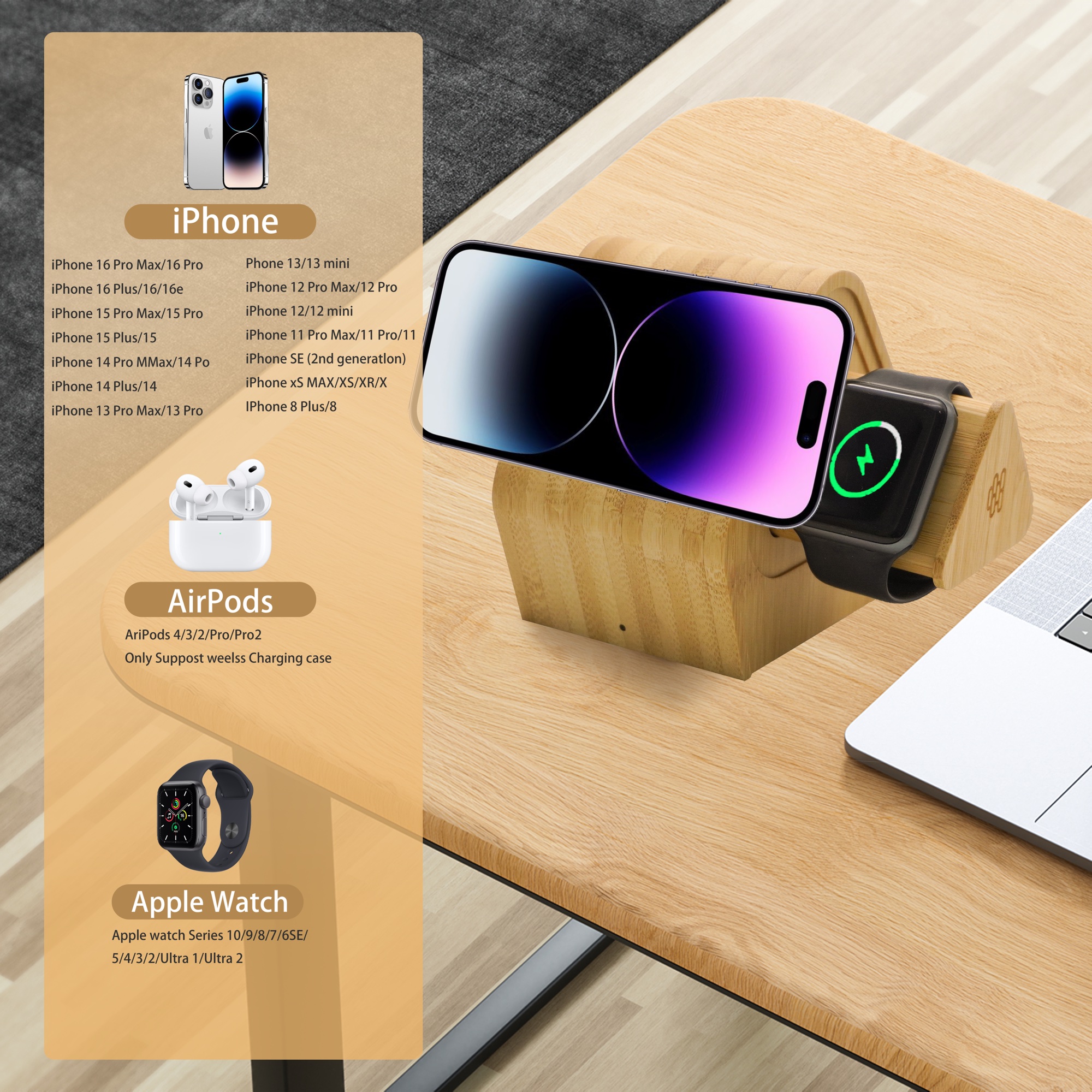
A 3-in-1 bamboo charging dock can power a compatible phone, watch, and wireless-earbud case from one desk or bedside unit. The bamboo housing does not change the charging standard, so correct setup depends on the electronics, power adapter, and device compatibility of the exact model.
Before connecting power
Read the model label and supplied instructions. Confirm the required USB-C input and adapter wattage. Use a certified adapter and cable that meet the listed input specification. A low-power adapter may cause slow charging, repeated connection, or one charging position to stop when several devices are placed on the dock.
Place the dock correctly
Set the charger on a stable, dry, ventilated surface. Keep it away from sinks, direct heat, and enclosed spaces that trap warmth. Do not place metal objects, keys, cards, or coins between a device and the charging surface.
Align the phone with the charging coil
Place a Qi-compatible phone in the position shown for the model. If charging does not begin, move the phone slowly until the indicator responds. Thick cases, wallet cases, metal plates, grip accessories, and badly positioned magnets can interrupt charging. Remove those items before troubleshooting the dock itself.
Check watch and earbud compatibility
Smartwatch charging systems are not universal. Confirm that the watch position or module supports the exact watch family being used. Wireless-earbud cases must support Qi charging when placed on a wireless pad; cases that charge only through a cable will not charge wirelessly.
Troubleshoot flashing indicators or excess heat
A flashing light can indicate poor alignment, a foreign metal object, an unsupported device, or insufficient input power. Remove all devices, disconnect power, inspect the cable and adapter, then reconnect one device at a time. Mild warmth can occur during wireless charging, but disconnect the unit if it becomes unusually hot, smells abnormal, is damaged, or repeatedly stops charging.
Clean and protect the bamboo
Disconnect power before cleaning. Wipe the housing with a soft dry or barely damp cloth, then dry it promptly. Do not immerse the product, spray cleaner into openings, or use abrasives, alcohol, or strong solvents on the finish.
For office and corporate deployments
Before distributing branded units, test the approved sample with the target phone, watch, earbud case, adapter, cable, and regional plug. Keep the model-specific instructions with each unit and confirm which accessories are included in the packaging.
See the MT501 bamboo charging dock or request a model-specific quotation and sample.